Setting Up Your C# Project
Using Cursor, Claude, or another AI coding tool? Connect it to the Legalesign docs for context-aware help as you follow this tutorial.
We'll be using Visual Studio Code with no platform-dependent tools — but if you're using Visual Studio 202X, the steps should be similar, if not a little easier.
In VS Code, available to download here, install the C# Dev Kit extension and follow the instructions to ensure that the .NET SDK and C# tools are on your machine.
It's worth noting there are some very good .NET GraphQL libraries. In these examples we've decided to remain library neutral but you needn't. Check out:
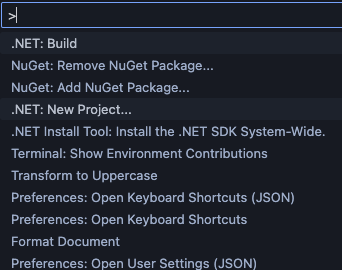
Start a new C# project in VS Code. Open the Command Palette (View -> Command Palette) and start typing "new project", you should soon see the .NET: New project option.
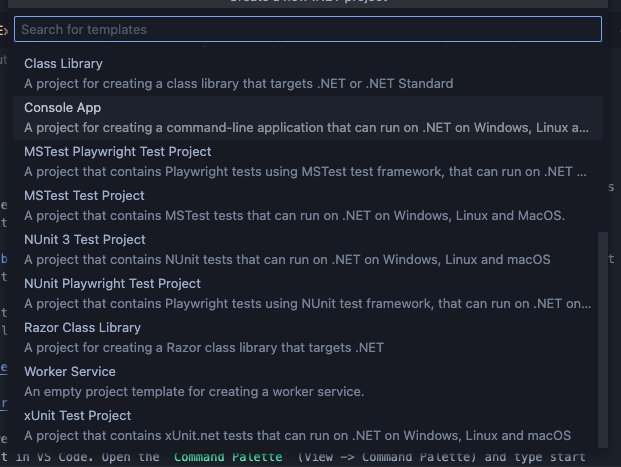
Choose this option and then select the Console application type.
No additional NuGet packages are needed for these examples. For authentication details, see Authenticate with the API.