How to generate an API key
To use the Legalesign API, create a free account, or log in at access.legalesign.com, and then go to the Developer Portal where you will generate your API Key - https://developer.legalesign.com/.
Go to the API Keys section. In the form starting with a text field labelled "Key name" enter a name, any name of your choosing, then select the interface for the key you will use (REST, GraphQL, or both), add an optional expiry date (recommended) and then click 'Create Key'.
Copy this key when it is shown to you, it cannot be shown again.
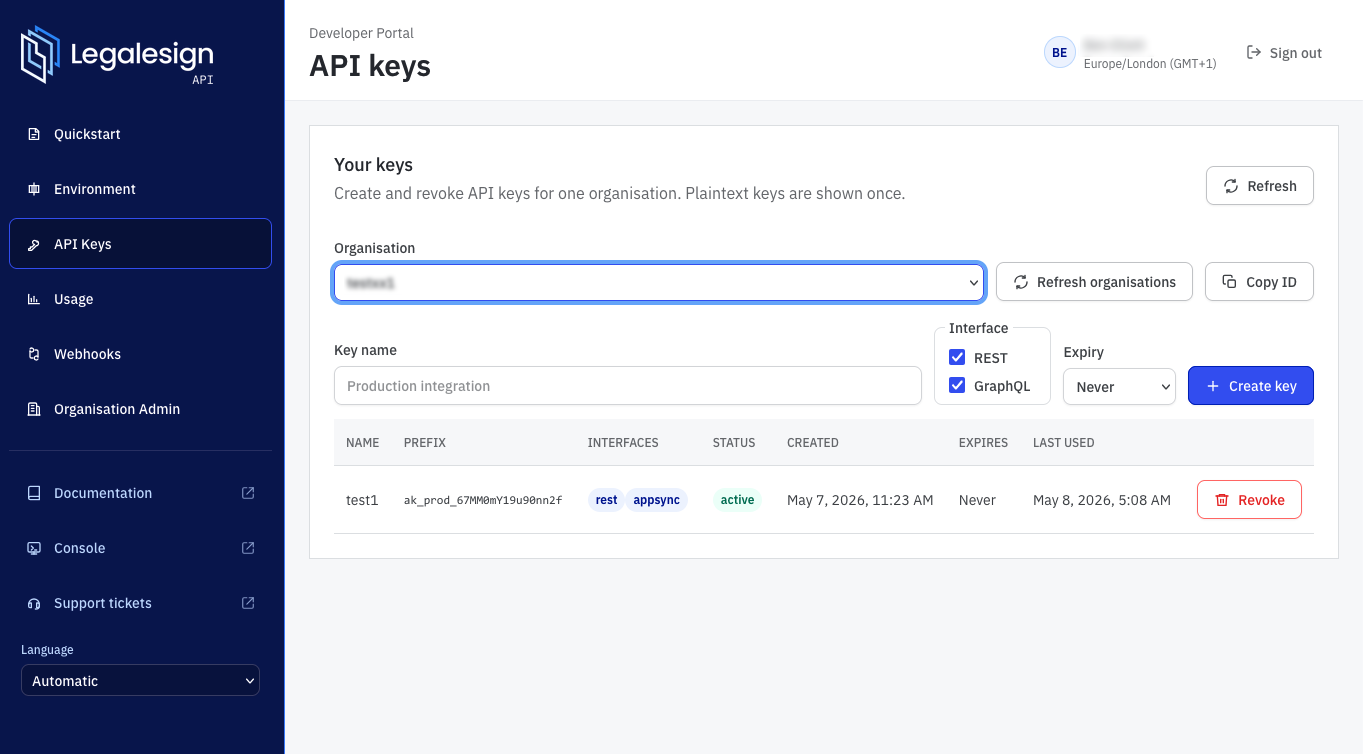
Add the key to your Authorization headers starting 'Bearer YourApiKey' - Go to the Quickstart section for copy and paste samples to confirm your key is working.
Later, if you are using the API key to send documents you will need to file a support ticket to move your account to Production mode.