The four batching workflows
When sending documents in a batch for eSignature, two settings control how signers receive and complete documents:
- Sequential signing – recipients must sign in a defined order within a document.
- Enforce document ordering – whether documents in a batch must be completed one-by-one in order.
Combining these two controls produces four possible workflows that determine how recipients access documents and when they receive notification emails.
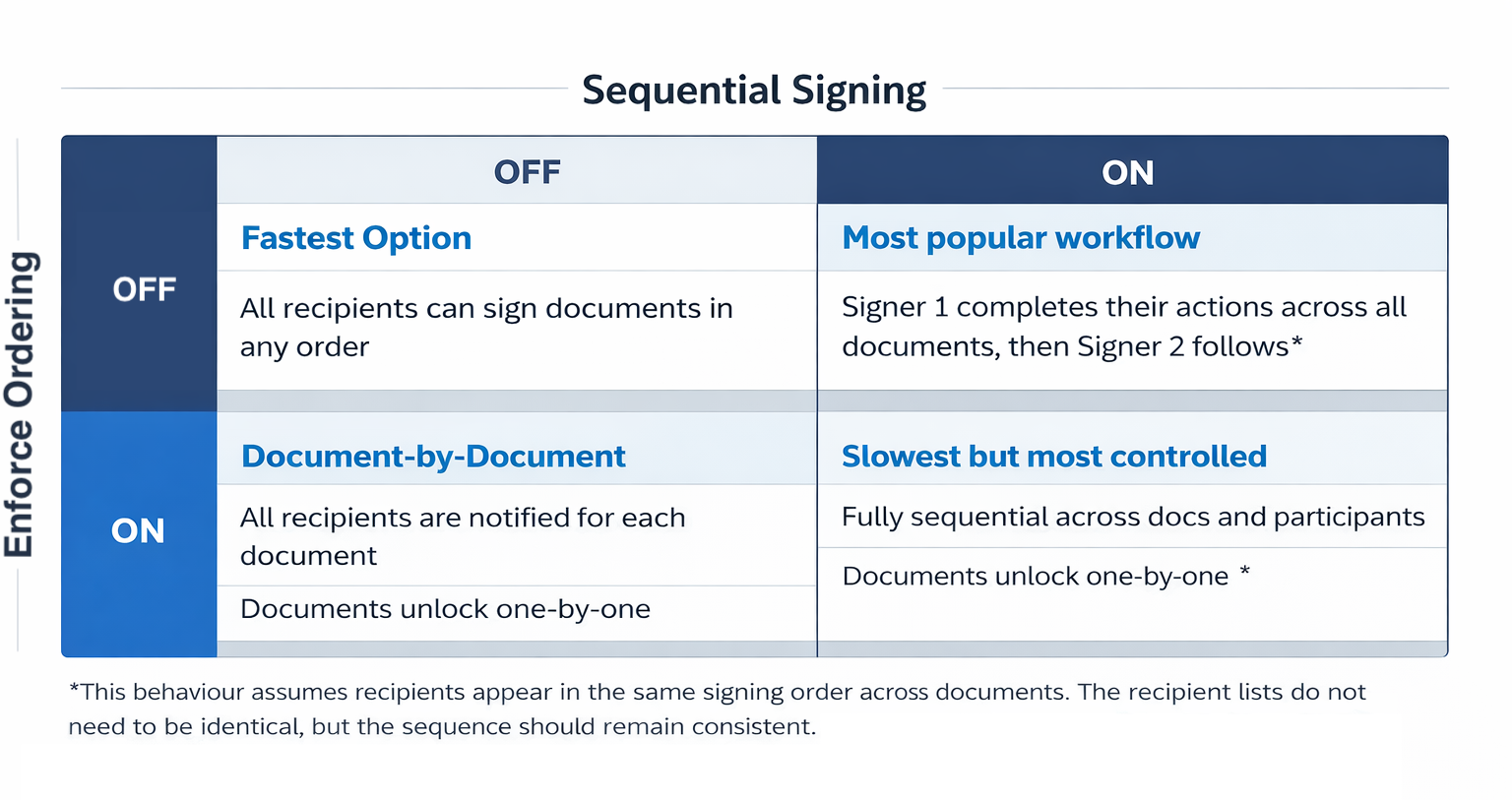
Understanding these combinations helps you choose the workflow that best fits your signing or approval process:
1. Enforce Ordering ON + Sequential Signing ON
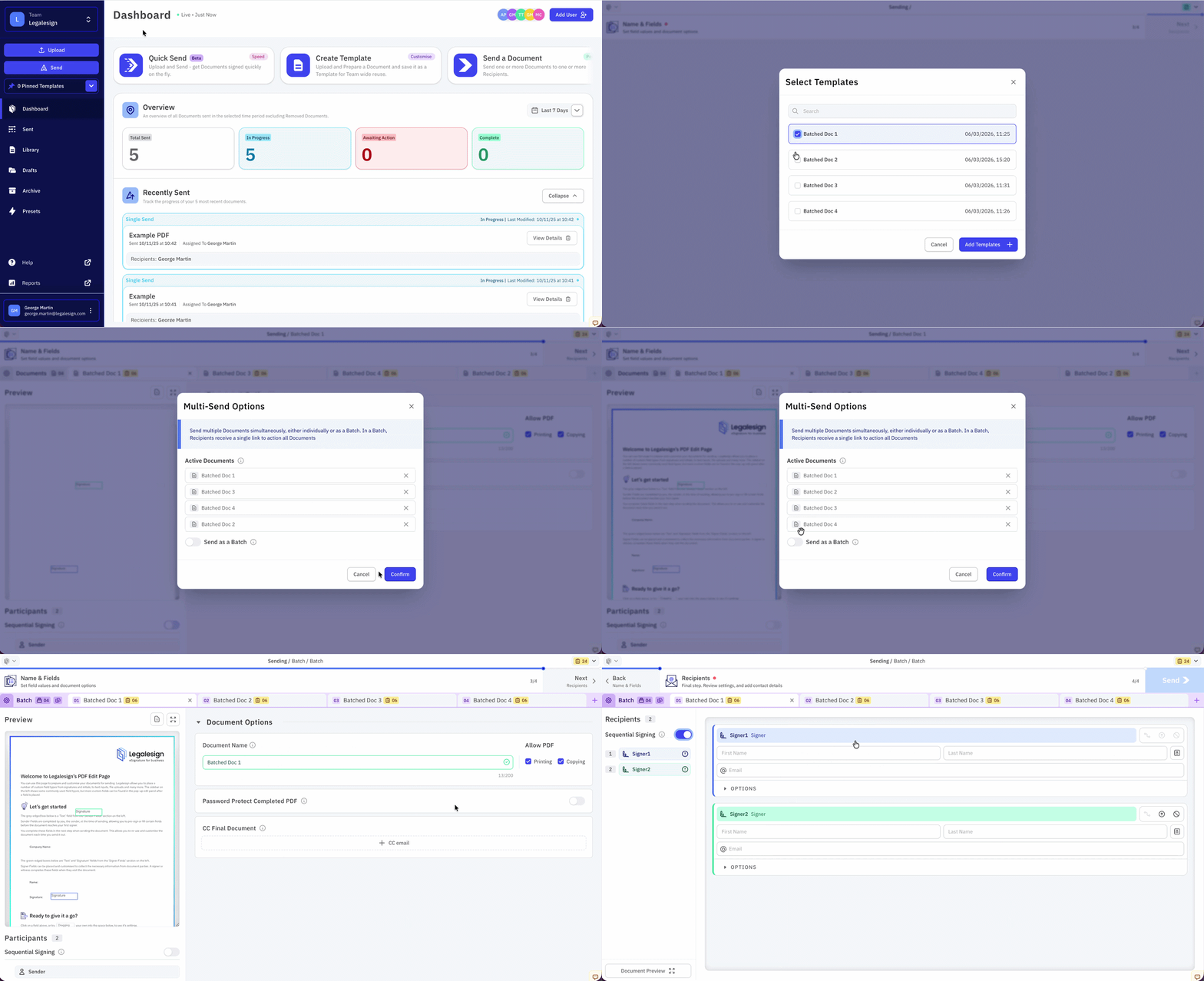
In this configuration, both document order and signer order are enforced. This is the most controlled workflow, useful when documents must follow a strict approval sequence but means it is also the slowest workflow.
Example Workflow:
- Signer A → Document 1
- Signer B → Document 1
- Signer A → Document 2
- Signer B → Document 2
- Signer A receives email for Document 1.
- After signing, Signer B receives email for Document 1.
- Once Document 1 is fully complete, Document 2 unlocks.
- Signer A receives email for Document 2.
- After signing, Signer B receives email for Document 2.
2. Enforce Ordering OFF + Sequential Signing OFF
This configuration has a fully parallel workflow in which all documents are available immediately and recipients can sign immediately. Recipients can also sign any document in any order. This is the fastest and most flexible workflow.
Example Workflow:
Signer A & Signer B → Document 1 & Document 2
- Both signers receive an email listing all documents.
- They can complete any document in any order.
- The batch finishes when all documents are completed.
3. Enforce Ordering ON + Sequential Signing OFF
This configuration enforces document order, but recipients within each document can sign in parallel. This workflow is useful when Documents must be completed in order but Signer order does not matter.
Example Workflow:
- Signer A & Signer B → Document 1
- Signer A & Signer B → Document 2
- Signer A and Signer B both receive Document 1.
- They sign independently.
- Once Document 1 is fully complete, Document 2 unlocks.
- Both signers receive Document 2.
- After both have signed, Document 2 is fully complete.
4. Enforce Ordering OFF + Sequential Signing ON
In this setup, documents do not need to be completed in order, but each document still enforces signer sequence.
Example Workflow:
- Signer A → Document 1 OR Document 2
- Signer B → Document 1 OR Document 2
- Signer A receives access to both documents immediately.
- Signer A signs Document 1 or 2 in any order
- Signer B receives the Documents as they are signed
- Signer B signs and completes the document in any order
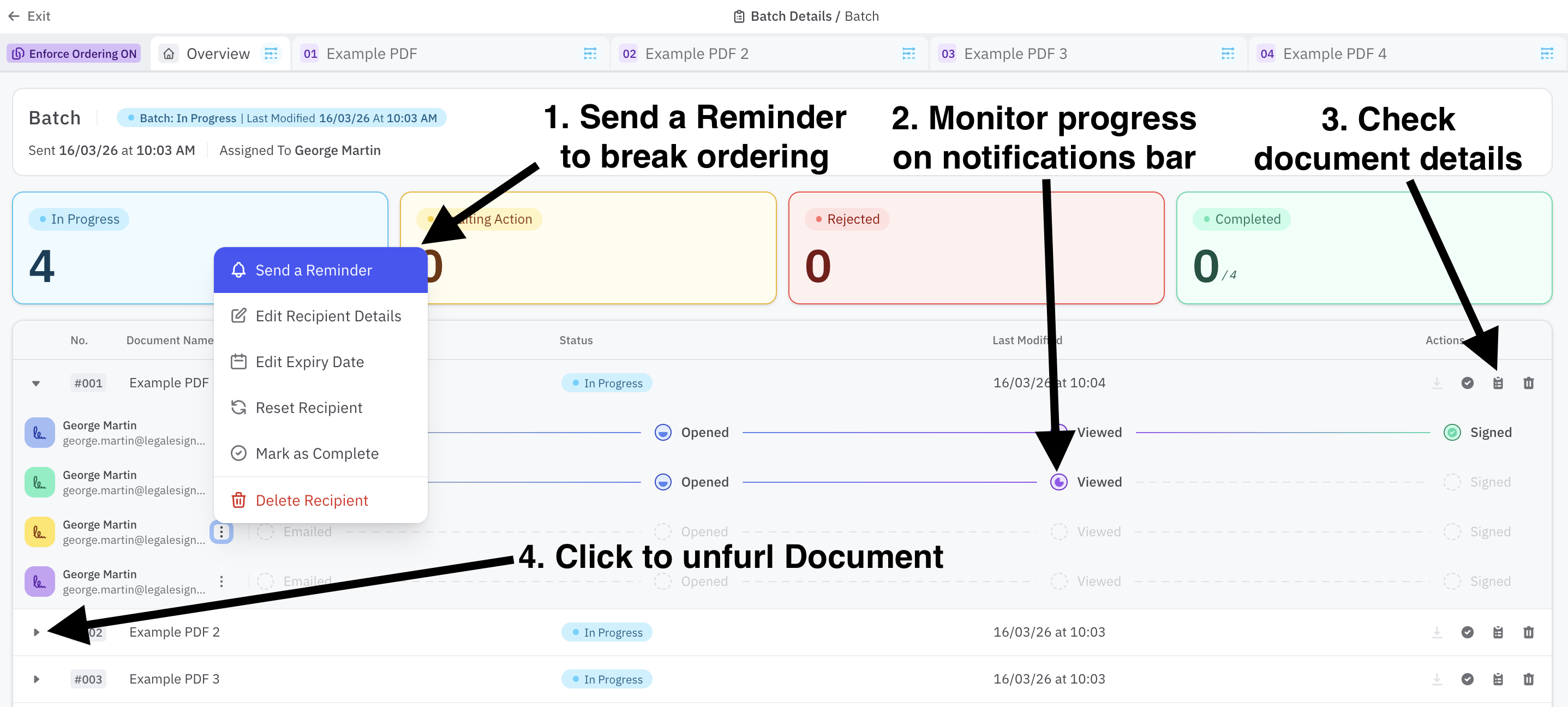
The progress of Batches can be monitored on their Details page and Manual Reminders can also be pushed to Recipients to break ordering rules and send the document to Recipients for completion.