What is my Organisation?
Your Organisation is the top-level container for your entire Legalesign account. It sits above your individual Teams and provides oversight, control, and compliance features across all of them.
Even if you only have one Team, you still have an Organisation.
Organisation Users vs Team Users
Team Users are the people who work within a specific Team — they create, send, and manage Documents. Their permissions are scoped to that Team.
Every user across all Teams in the Organisation is listed as an Organisation User, but by default they have no Organisation-level permissions. The Account Owner can grant specific users access to Organisation sections such as Billing, Teams, or Data Deletion.
What does the Organisation page include?
- Users — grant users access to Organisation-level settings
- Teams — view and configure data retention for each Team
- Billing — manage invoices, payments, and your subscription plan
- Stop Processing — prevent specific email addresses from being contacted
- Data Deletion — delete Documents within a designated time period
- Data Extension — extend the retention period for specific Documents
These features help your Organisation comply with data privacy regulations such as GDPR.
How to access it
Click the ⋮ menu next to your name in the bottom left of the screen, then select Organisation.
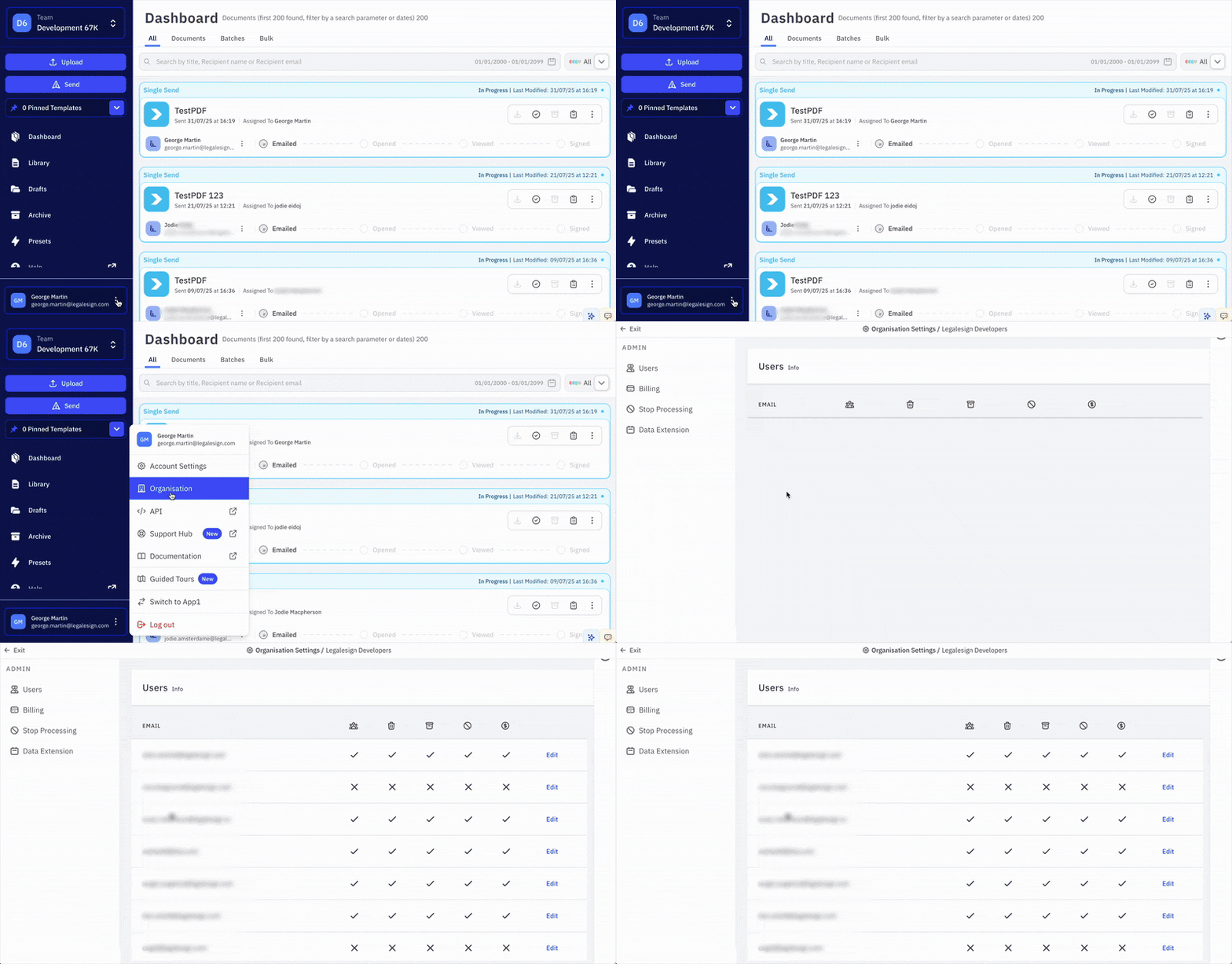
The Account Owner has full access to the Organisation page and can invite other users to access specific sections.
Related pages