Renaming a Document or Template
When you upload a PDF the file name is converted to the Template name. It's easy to change this name later.
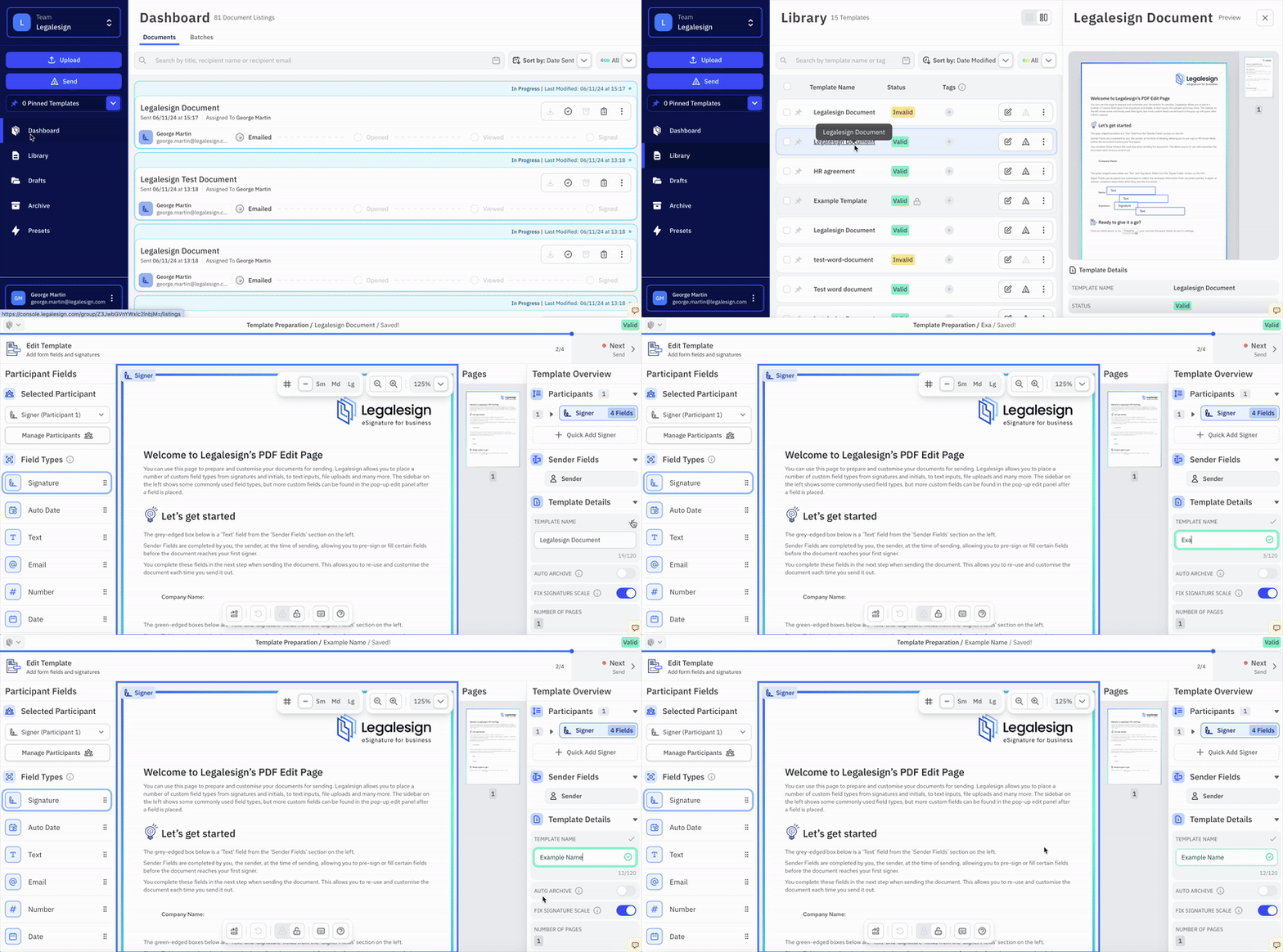
Go to your Library in the main navigation and then select the Template with the name to change.
Click Next to visit the Edit page, click Name on the top right under Template Options and then edit the name. The new Template name will then be automatically saved.
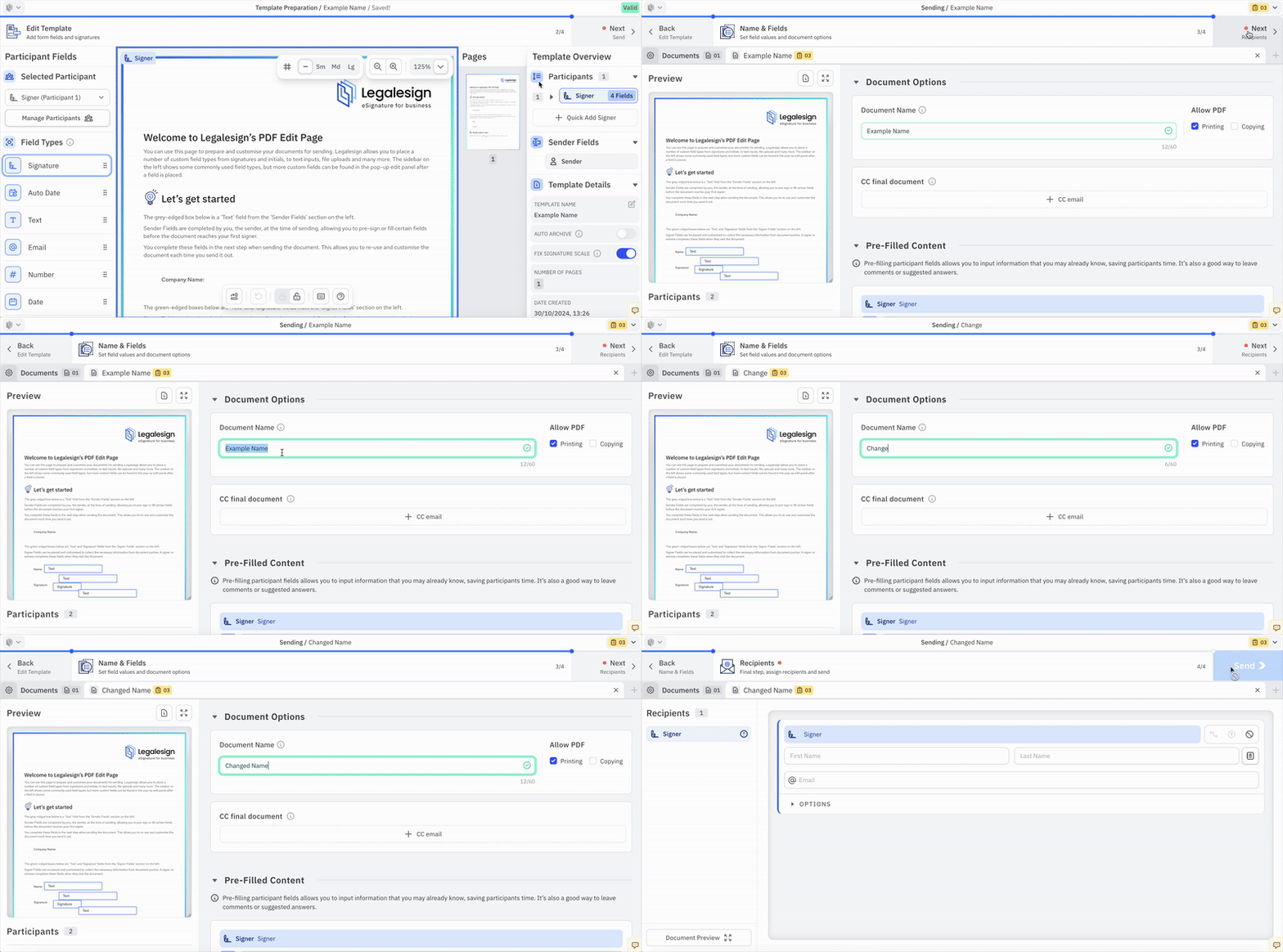
Instead of changing the Template name, you may simply want to rename the specific document that you are sending out to be signed. By default Documents have the same name as the Templates that created them.
You can do so by visiting the Details page, either by clicking Next on the Edit page or by sending a new Document and visiting through the Send page.
Under Document Options click on Document Name then edit the name. The new Document name will then be automatically saved.