Delete a Recipient after Sending
warning
Deletion is permanent — please think carefully before deleting a Recipient.
If a Recipient needs to be removed before sending, you can skip them on the Send page instead.
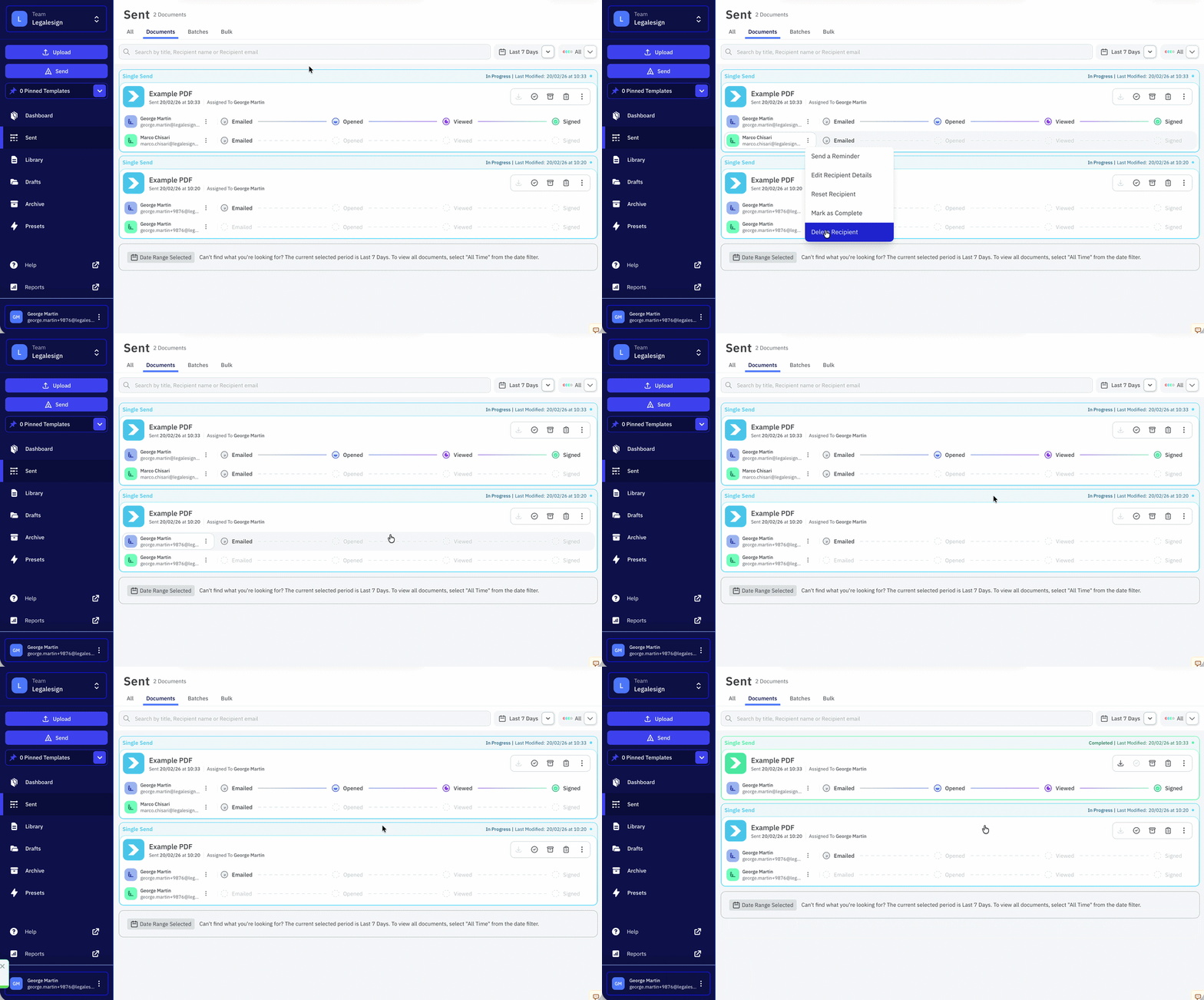
If the Document has already been dispatched, the Recipient can still be deleted:
- Go to the Sent page and find the Document
- Click on the Recipient's email address
- Select Delete Recipient
- On the pop-up click Confirm Delete
If no further Recipients are required to complete the Document then it will automatically complete itself.
note
If the Recipient has a witness, the witness will also be deleted.
Related pages
- Change Signer — change a Recipient's details without deleting
- Skip a Participant — skip a Recipient before sending
- Mark a Recipient as complete