Get email alerts when recipients open a document
Knowing when a recipient is visiting your document can be a vital piece of information. As a sender, you can receive an email notification when a signer, approver, or witness is visiting your document.
This setting is useful if you are searching for:
- visiting email
- signer visiting notification
- recipient visiting notification
- email alert when recipient opens a document
- email me when recipient visits document
-
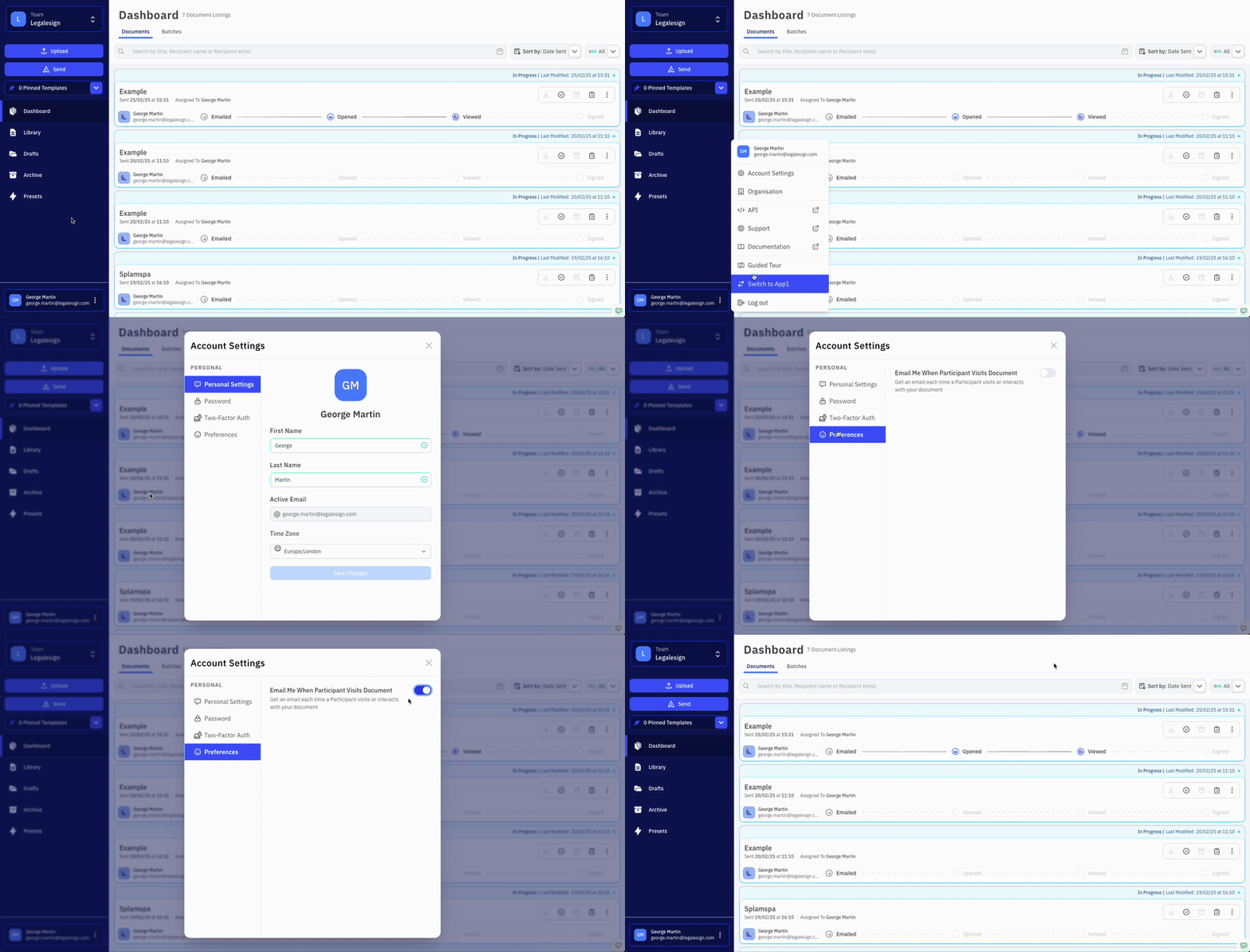
Click on your name on the bottom left of the screen.
-
Scroll up on the dropdown menu.
-
Click on ⚙ Account Settings > Preferences.
-
Then, switch on Email Me When Recipient Visits Document.
This is a personal setting and applies to all your teams.
This feature is separate from the email notification a sender or recipient can receive when a document is completed. That feature can be switched on or off in the Experience settings.