Order fields
Field order determines the sequence in which recipients move through fields on a page while completing it.
This is important when recipients are completing forms, questionnaires, or complex documents.
Without any field order set, fields are completed according to their position on the page — top to bottom, then left to right.
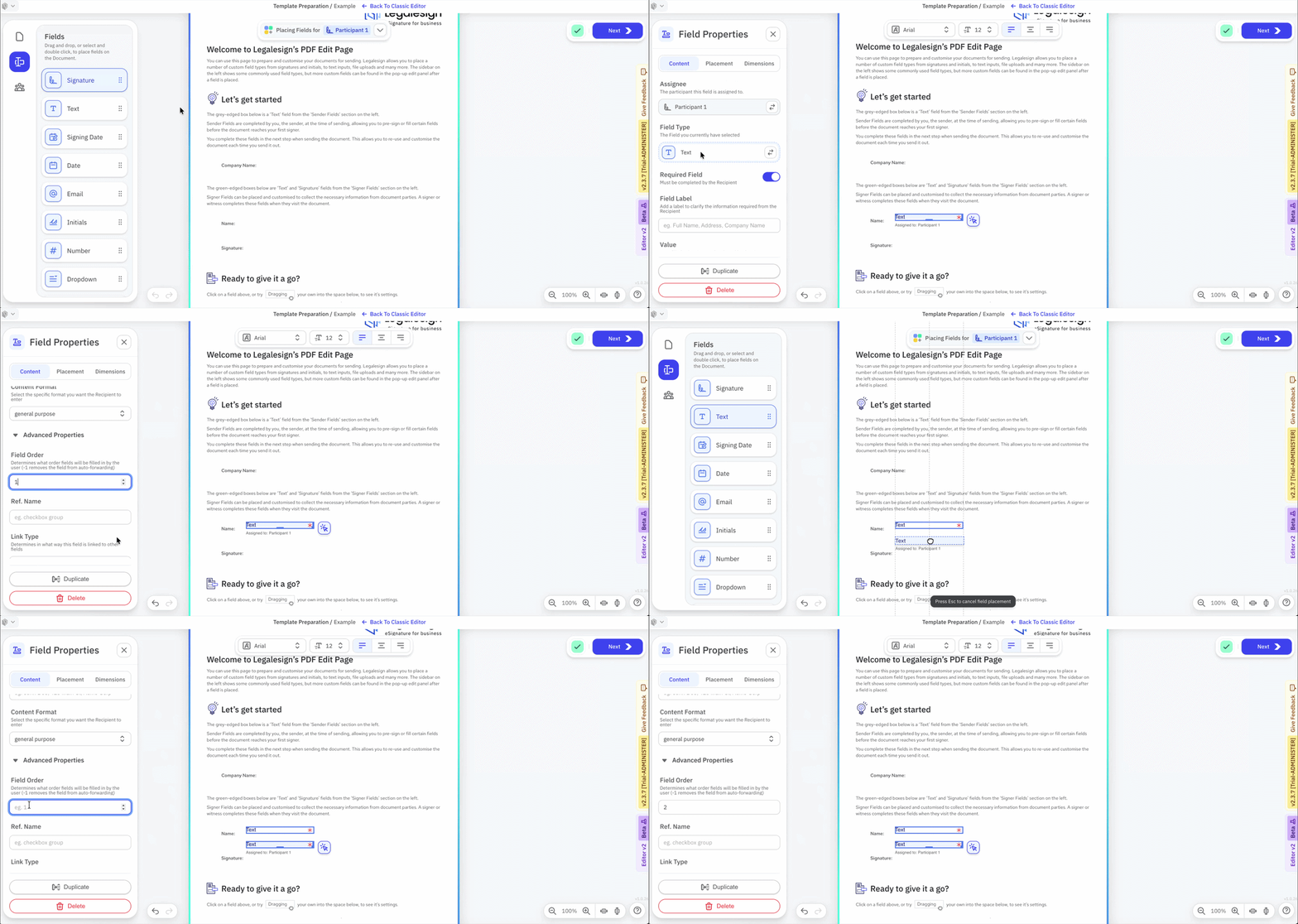
Every recipient field can be given a field order.
- Open the Template Preparation page.
- Click on the field.
- Find Advanced under Field Properties and insert the field order number.
To remove a field from the ordering — for example an optional field — set its field order to -1.
info
The -1 value is due to be replaced by a toggle.