How to add expiry dates for Recipients
You can add expiry dates for Recipients to increase the chances of closing deals faster and improve your overall signing rate.
On the Send Page click on the Expiration Date next to the Calendar icon in the Options dropdown menu. Then select an Expiration date for your Recipient or type the date and time in yourself.
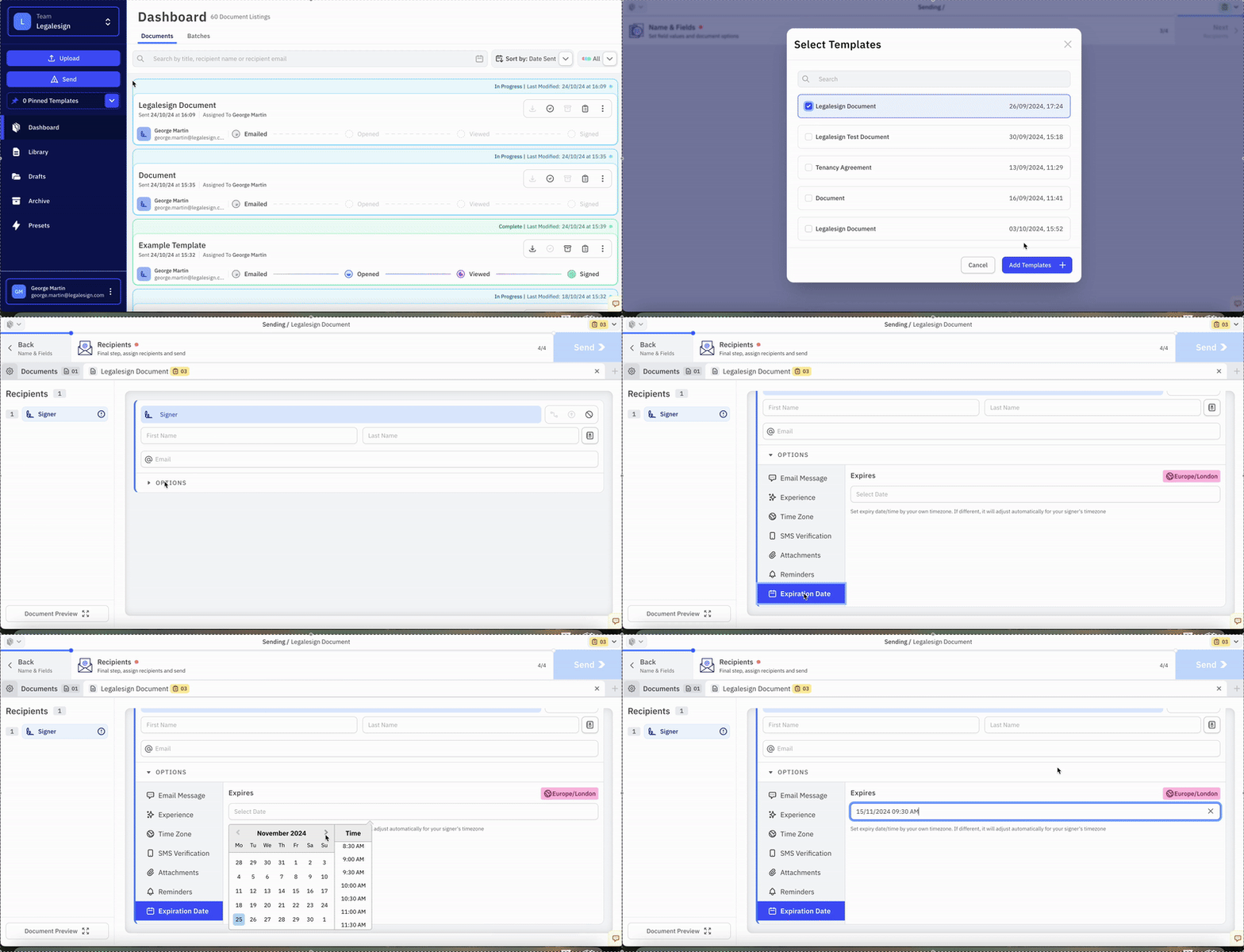
When adding a time or date, the system uses your timezone then automatically updates it to the signer's timezone when it is sent.
When a Recipient's expiry date passes, they can no longer sign or complete the Document. It is marked as expired and moved into the archive.