How to enable PDF certification
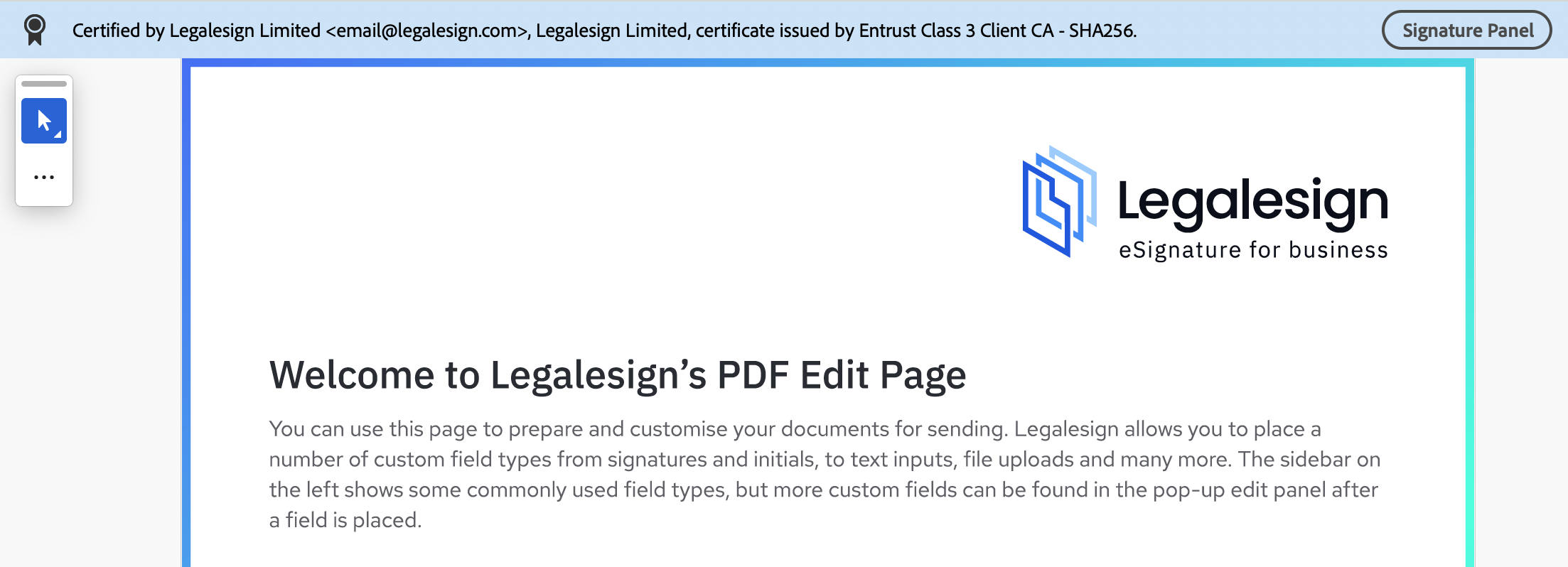
Documents completed with Legalesign are always produced in PDF format and have a Long-Term Validation Certification applied by default. The PDF certification is proof that the document has not been amended or interfered with since it was signed.
You can check if a PDF has been certified by examining its file properties using any PDF reader software. It typically appears as a highlighted bar on the top of the screen.
 PDF certification can be turned off if you believe it isn't required for your documents. To do this:
-
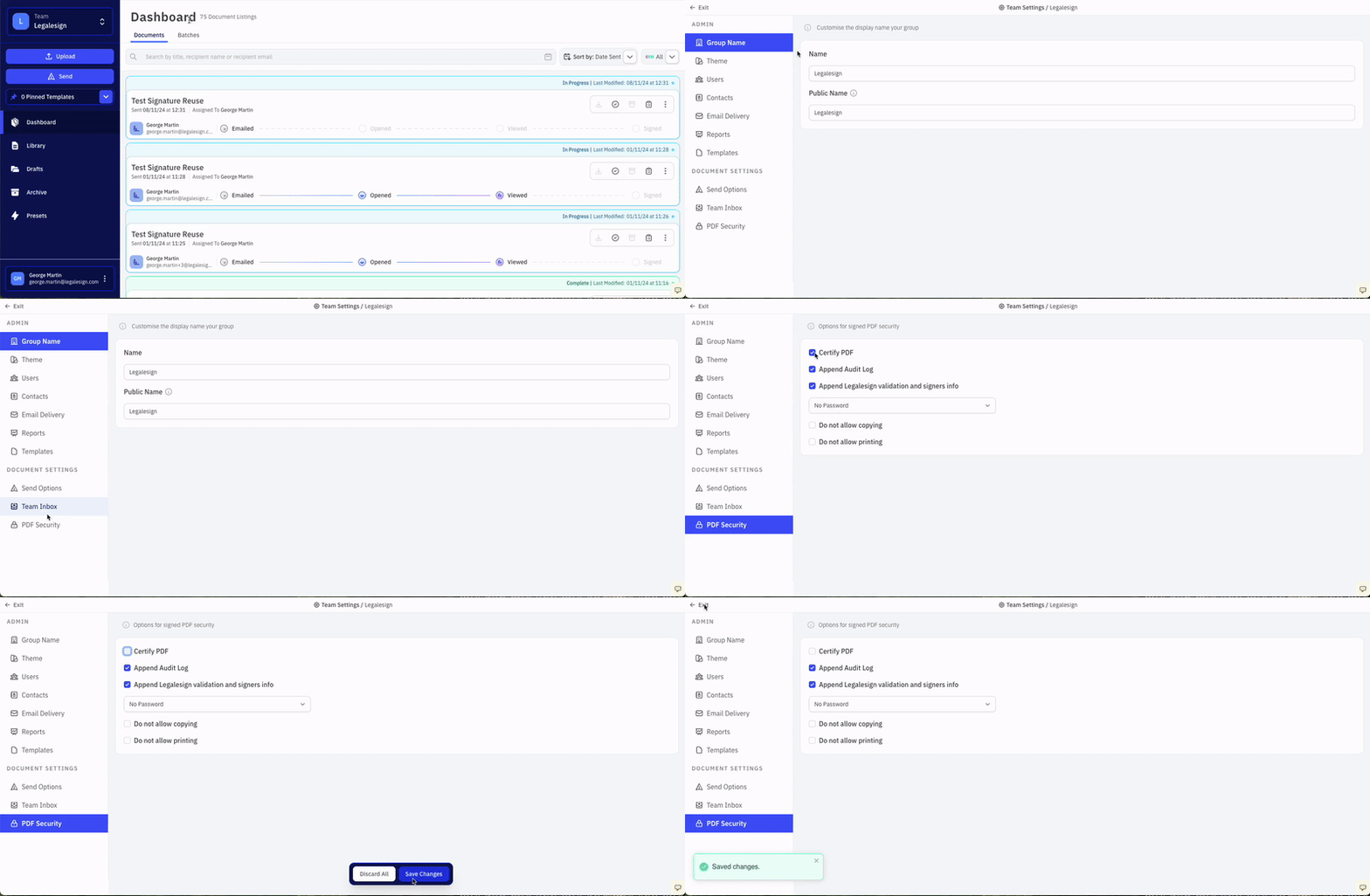
Click your Team name on the top left of the screen,
-
Click on the ⚙ cogwheel icon on the right of the dropdown menu to visit the Team Settings page,
-
Click PDF Security,
-
Click the Certify PDF checkbox to clear it,
-
Click 'Save Changes' to confirm.