How to export information about your Documents
You can download status and progress information for your sent documents as a spreadsheet-compatible XLSX file.
- Visit the Sent page.
- Use the Search function to narrow or widen the parameters of your listings.
- Click Export.
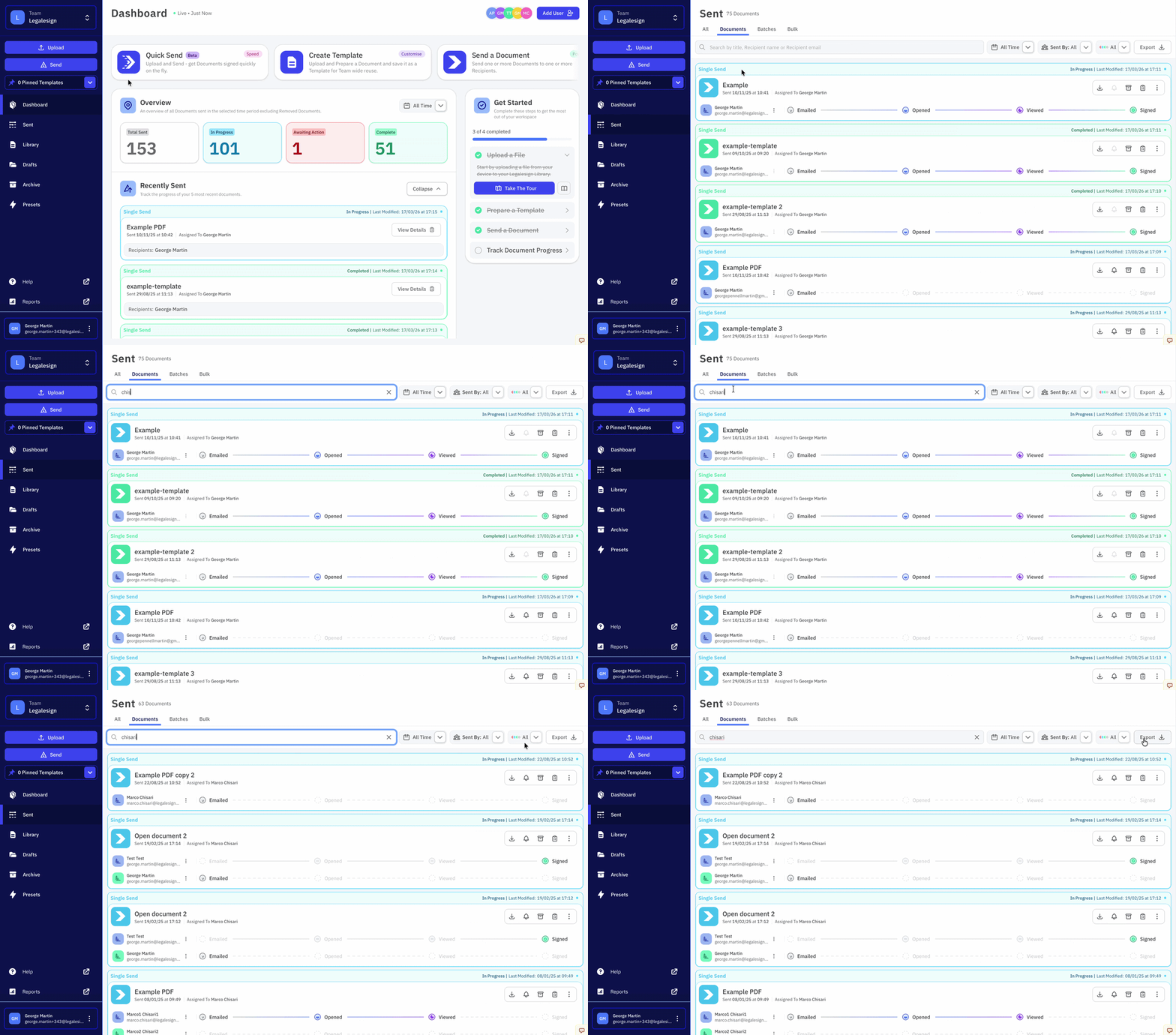
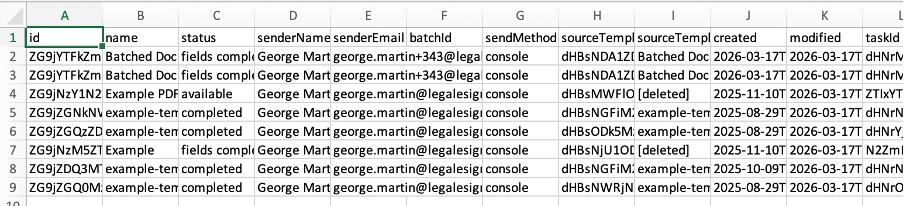
An XLSX file is generated containing information about the documents currently shown in your listing. Only the documents matching your current search and filter criteria are included --- it does not export all documents.
info
Each row in the XLSX lists a different recipient. Multiple recipient documents therefore will cover multiple rows.
tip
Navigate between the different tabs to select from Regular Documents, Batched Documents, Bulk Sent Documents, or all of the above.
Related
- How to generate Reports --- aggregated reporting across your team
- Where to download a signed document --- download an individual completed PDF
- The Audit Log --- detailed event history for a single document
- Understanding the Dashboard --- navigate document listings and actions