How to sign a Document
Follow these steps to sign a document that has been sent to you via Legalesign.
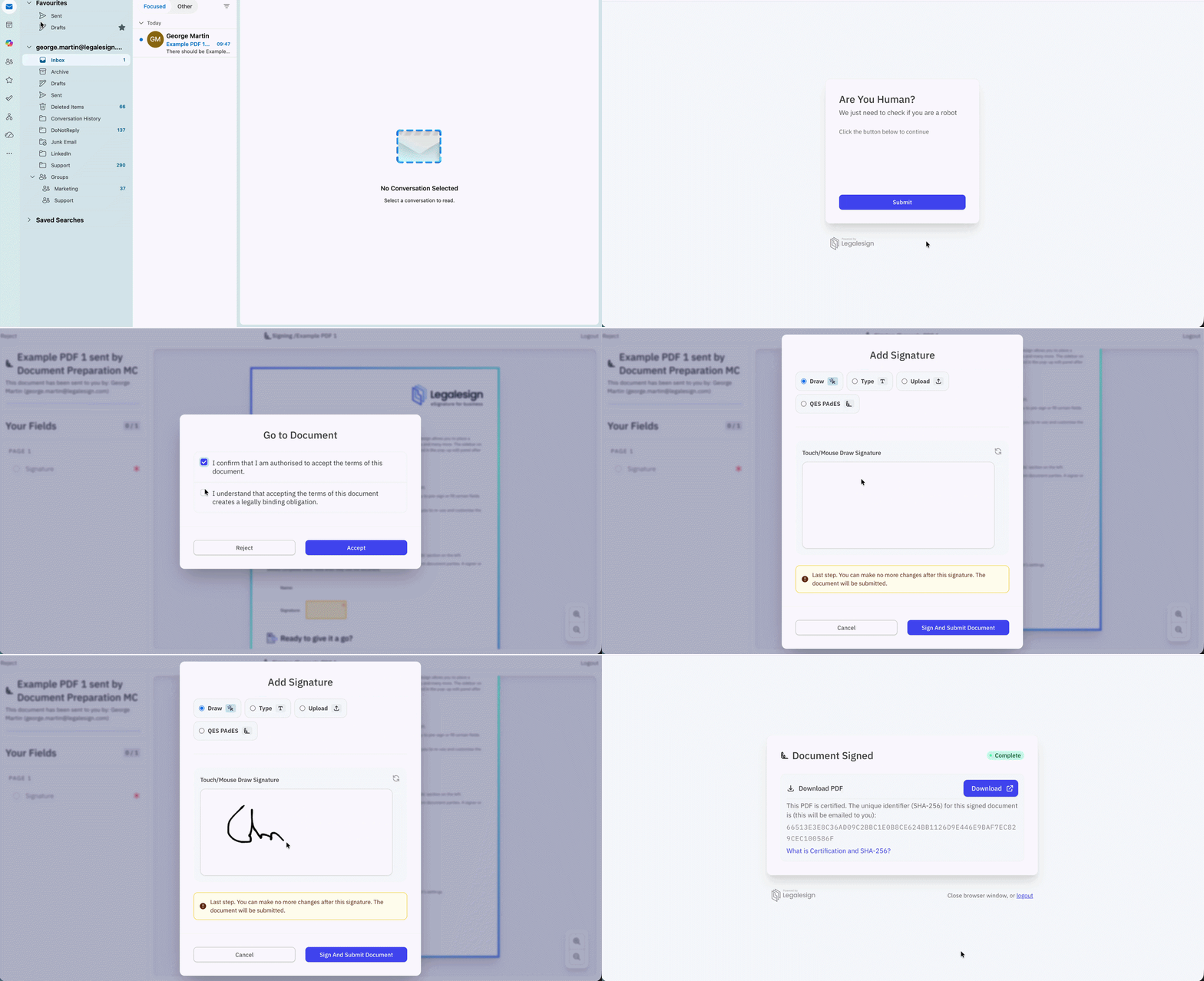
- Visit your email inbox and select the notification email.
- Click the signing link to be redirected to the document.
- Solve the Captcha if one is present and then click Submit.
- Tick the Signer Affirmations and click Confirm.
- On the signing page, select your signature. If there are any required signer fields you will need to complete them first.
- Draw, type, upload, reuse, or apply a QES signature to each signature field.
- The document will automatically complete and you will be redirected to the download page.
Related
- Create a custom signing experience -- configure what signers see
- How to use Qualified Electronic Signatures -- using QES for signing
- Where to download a signed document -- downloading the completed PDF