Inbox
The Inbox shows all documents sent to you that require your action — signatures, approvals, or other signing steps. Access it from the main navigation in the web app, or log in directly at inbox.legalesign.com.
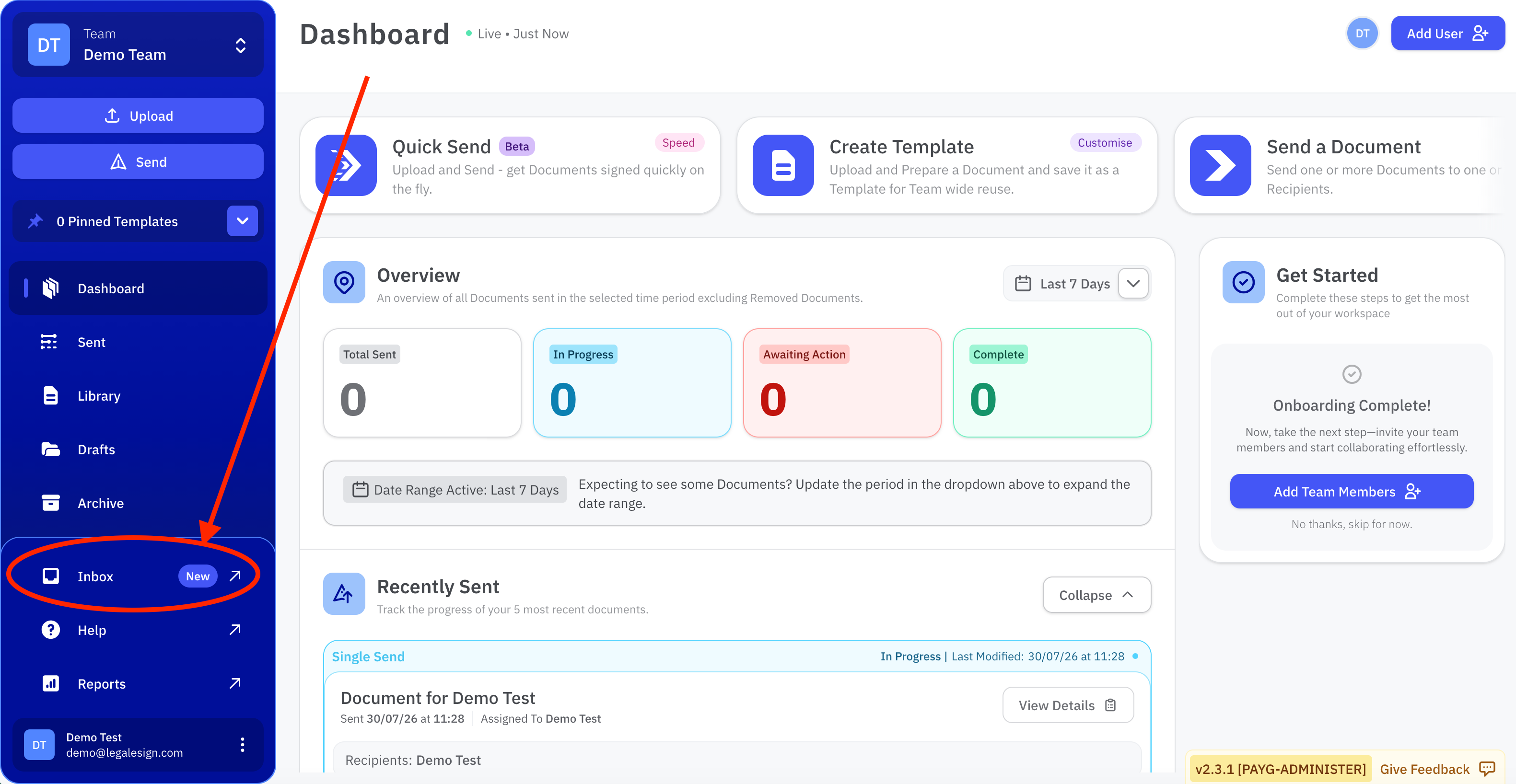
View your inbox
Select Inbox from the main navigation to see a list of all documents sent to you. Each entry shows the document name, sender, and current status.
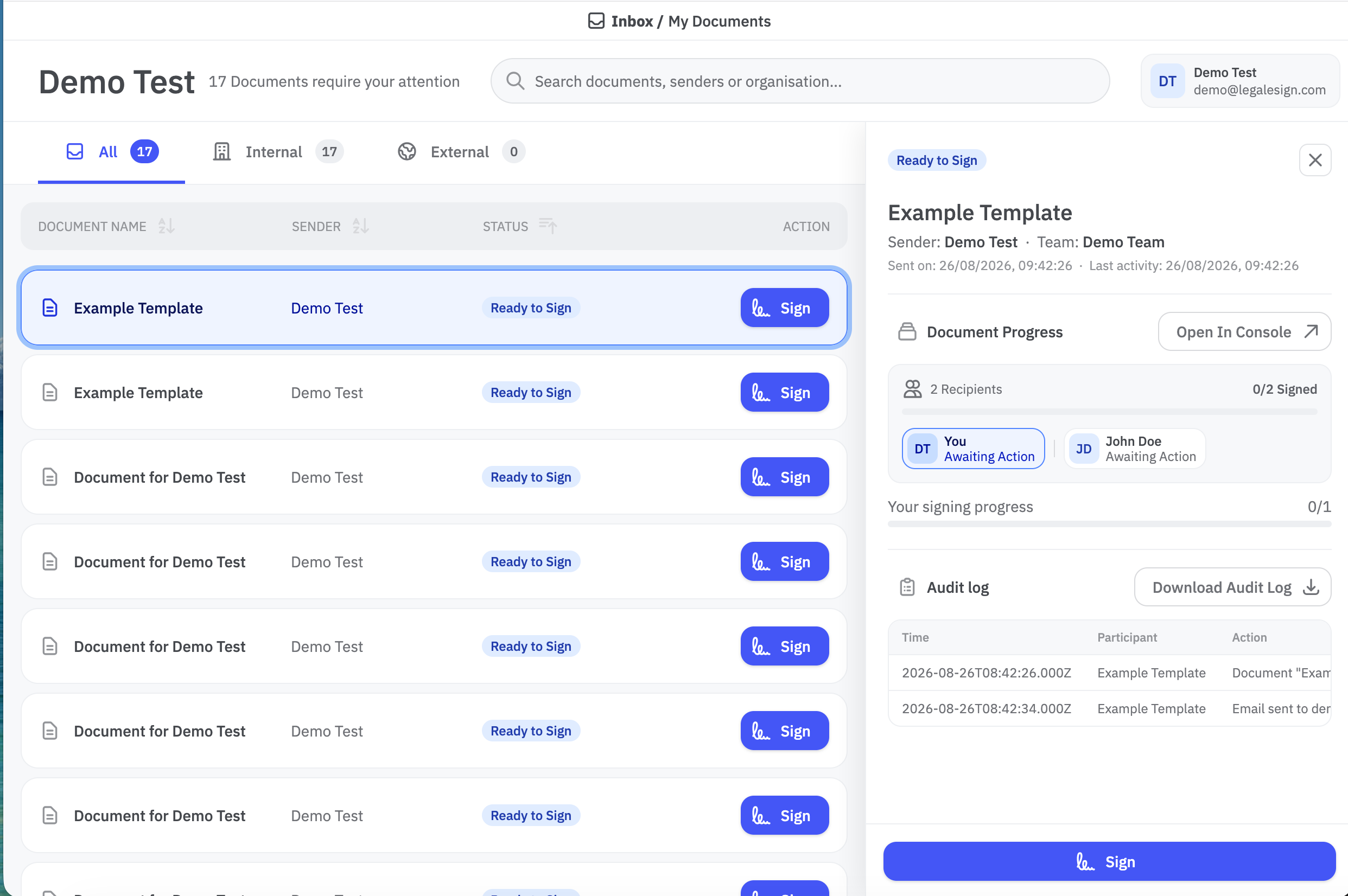
Select a document from the list to open it. What you can see depends on your group permissions:
- With group permissions — you can view the document status, sender and recipient information, the audit log, all other signers and their current signing status, and overall document progress.
- Without group permissions — you see a link to open the document and complete your signing step only.
Complete a document
- Select the document from your Inbox.
- Review the document details.
- Click the link to open the document and complete your signing or approval step.
Once you have completed your step, the document is removed from your Inbox. The Inbox only shows documents that require your action — completed documents are not displayed here.
My signature is different
My signature is a separate feature that lets you upload a signature to a library PDF. When that document is sent, your signature is applied automatically — you are not added as a recipient and the document does not appear in your Inbox.