Mark a Recipient as complete
When completing multi-signer Documents, a Recipient may sign outside of Legalesign. In this case you need to record the signing event on Legalesign so the workflow can continue to the next Participant.
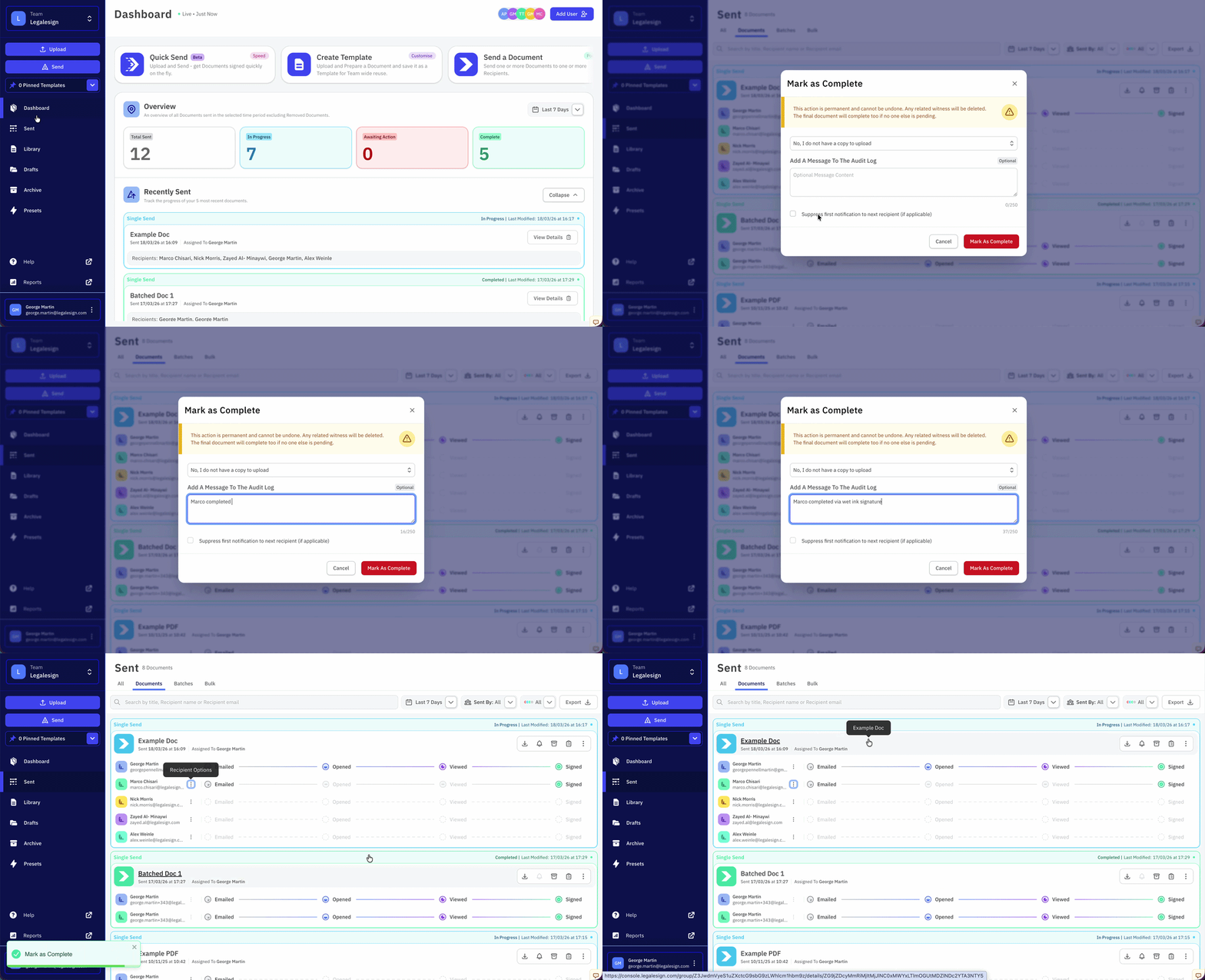
- Go to the Sent page and find the Document
- Click on the Recipient's email address
- Select Mark as Complete
- Optionally, upload the Recipient's signed Document
- Optionally, add a message as a record for the Audit Log
- Click Mark as Complete to confirm
If the Document is being signed sequentially, the next Recipient automatically receives the Document.
tip
Tick the checkbox to prevent the notification email being sent to the next Signer.
Related pages
- Mark as complete — mark an entire Document as complete (wet ink reconciliation)
- Sequential or simultaneous signing
- Skip a Participant
- Change Signer