Send signed Documents to Participants by email
Signers and Approvers can receive signed documents after completion as a PDF attachment sent via email.
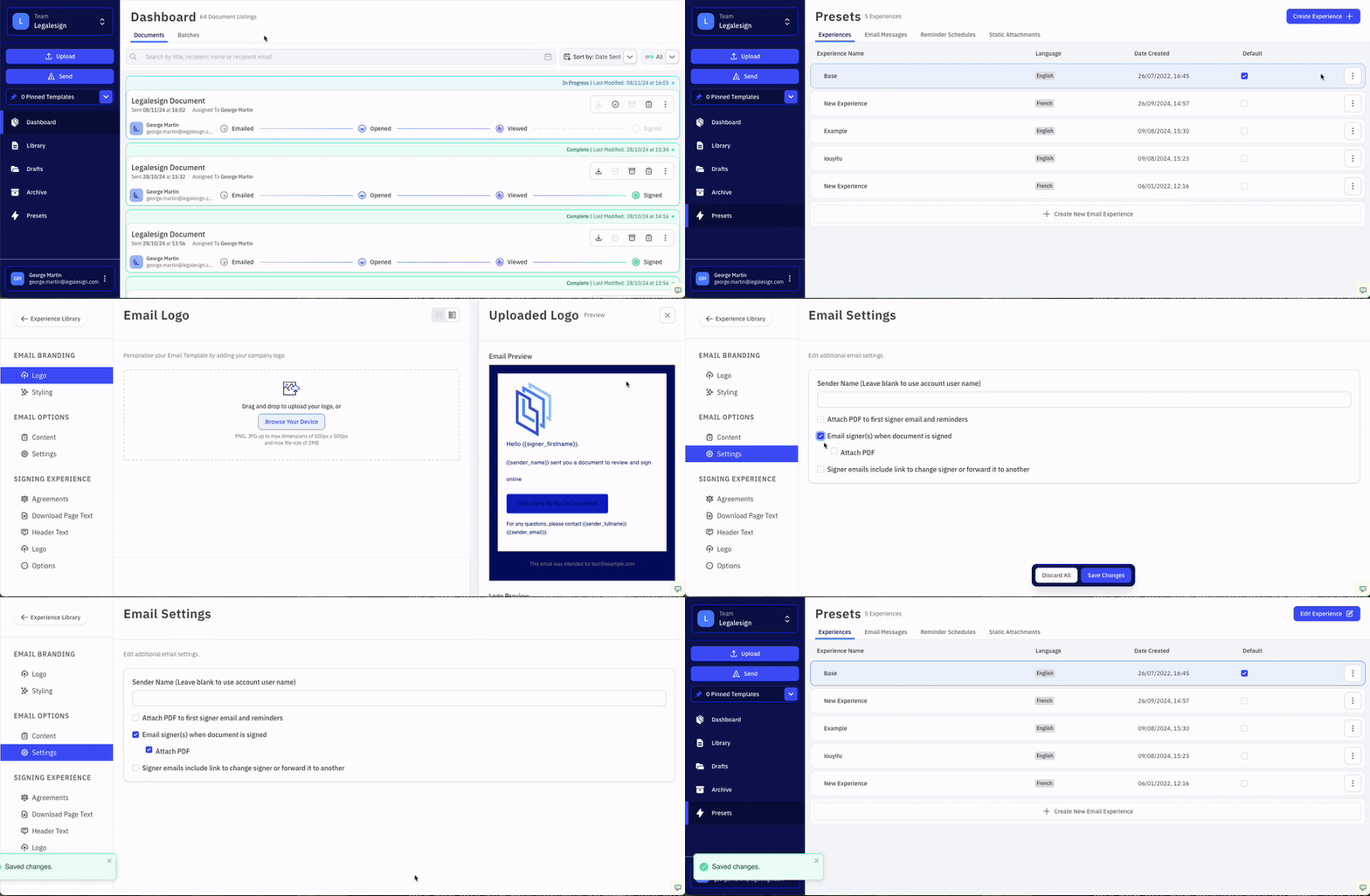
Admin users must visit Presets > Experiences. Click the Experience you would like to edit, click Edit Experiences, and then go to Email Options > Email Settings.
Tick 'Email signer(s) when document is signed' and then tick 'Attach PDF' and then click 'Save Changes' to confirm.
note
Attachments over 23MB are sent as a short-lease download link instead of a direct email attachment.