Sequential or simultaneous signing
You can decide whether a document is sent to multiple signers at the same time, or in order. Simultaneous signing is the default.
Admins can set the default for the whole Team. Users can also set this when sending out a document.
To set the Team default:
-
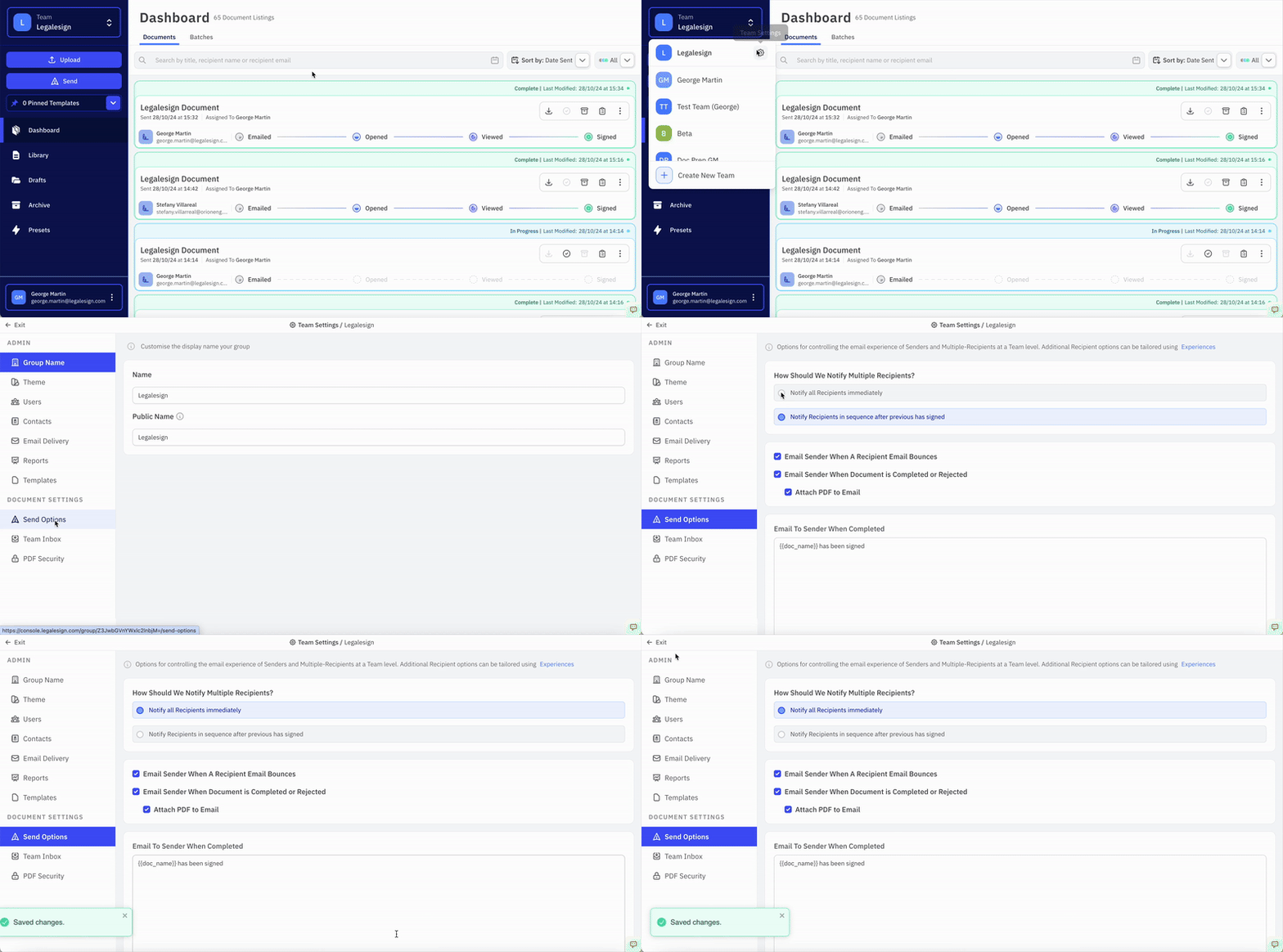
Click your team name on the top left of the screen
-
Click the ⚙ cogwheel icon on the right of the dropdown menu to visit the Group Settings page
-
Then click Send Options
-
Under **'**How Should We Notify Multiple Recipients?' select one of the two options:
-
Click "Notify all Recipients immediately" to choose simultaneous signing
-
Or click 'Notify Recipients in sequence after previous has Signed' to choose sequential signing.
-
Click 'Save Changes' to confirm
To set it at sending:
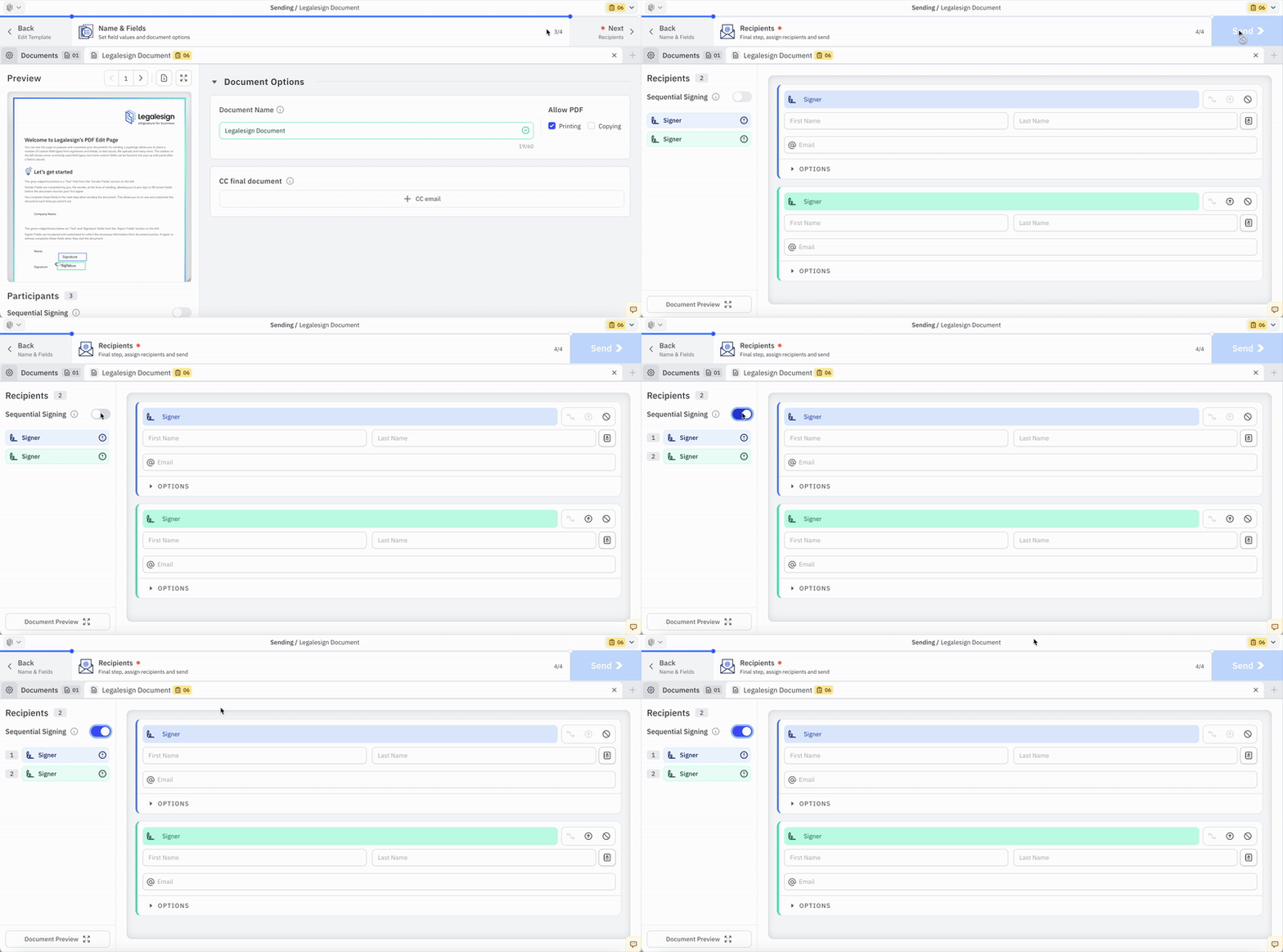
The Sequential signing option is visible on the Send page and can be toggled on or off by non-Admin users. This option is on a per document basis.
If you send in sequence but change your mind afterwards, you can still send a reminder email to second signers.
You can also send multiple documents at a time by sending a batch. To understand how sequential signing interacts with batch ordering, see The Four Batching Workflows.
To contact support, create a new ticket at support.legalesign.com ↗