Allow signers to reassign or forward a document
Legalesign provides two ways to allow a signer to reassign, forward, or delegate a document to another person — from the signing page itself, or via a link in the signer's email. This is useful when the original recipient needs to change who signs, redirect the document to a colleague, or transfer signing responsibility to someone else.
Reassign from the signing page
Recipients can be given the option to reassign their document to a new recipient directly from the signing page.
This is useful if multiple recipients can fill the same role for a document.
Admin users can enable or disable this feature: visit Presets > Experiences, click the Experience you would like to edit, click Edit Experience, and go to Signing Experience > Options. This option is switched off by default.
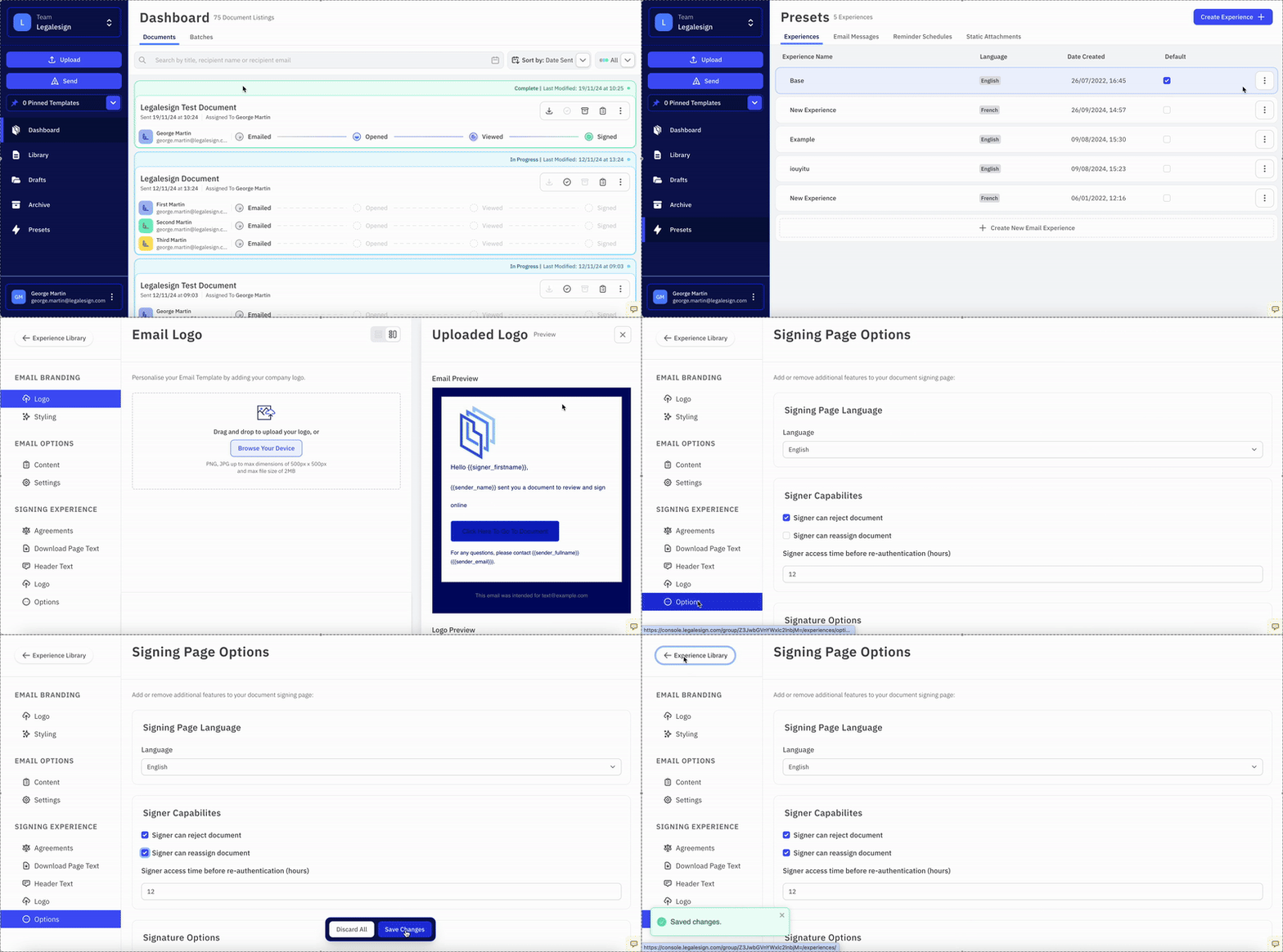
Tick Signer can reassign the document and click Save to confirm.
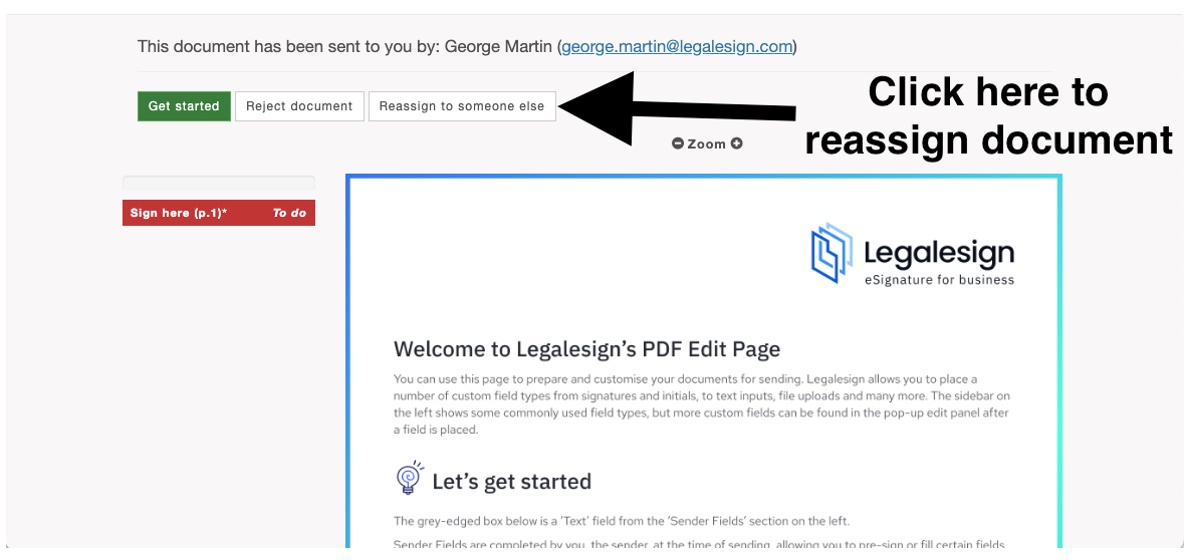
A button will redirect the signer to a new page where they can enter the new recipient's details and forward the document.
The reassign option on the signing page is not currently available on the latest version of the signing page. Contact support if you require this feature to alter your signing page version. The feature will be coming soon to the latest siging pages.
Change signer link in email
You can also include a link in the signer's email that allows them to change or forward the document to another person before they open the signing page.
To enable this, visit Presets > Experiences, click the Experience you would like to edit, click Edit Experience, and go to Signing Experience > Settings. Tick Signer emails include link to change signer or forward it to another and click Save.
When enabled, the signer's notification email will include a link they can use to reassign the document to a different recipient without needing to open the signing page first.