Skipping a Recipient
For standard templates with varying numbers of Recipients, there's no need to create several versions of the same document.
Instead, create one version with the maximum number of Recipients, then use the 'Skip Recipient' button on the Recipients page to exclude them (see below).
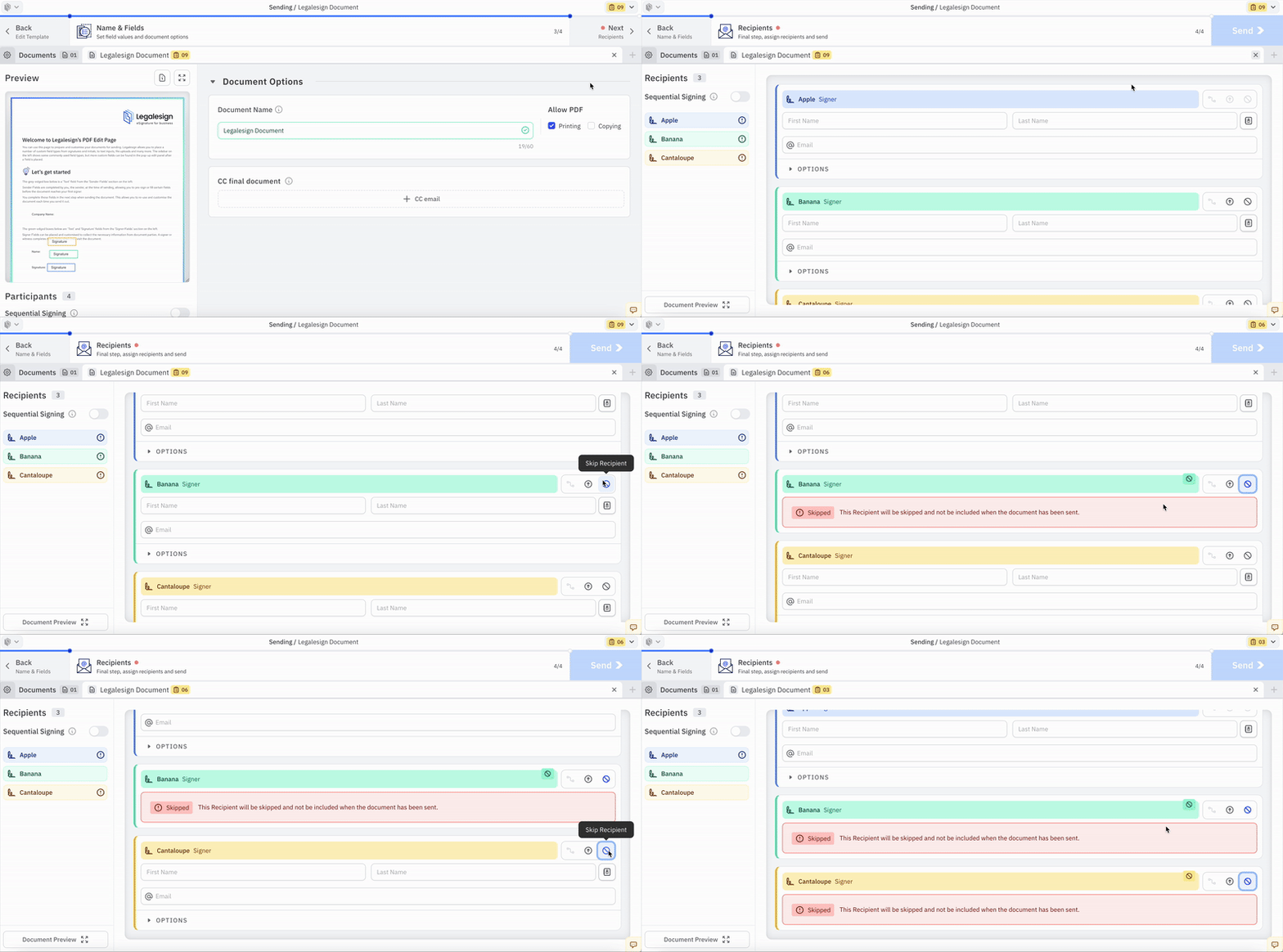
The skipped Recipient's fields will not be viewable on the signing page or the final document.
This feature can be used for Signers, Approvers, or Witnesses.