Standard Send
-
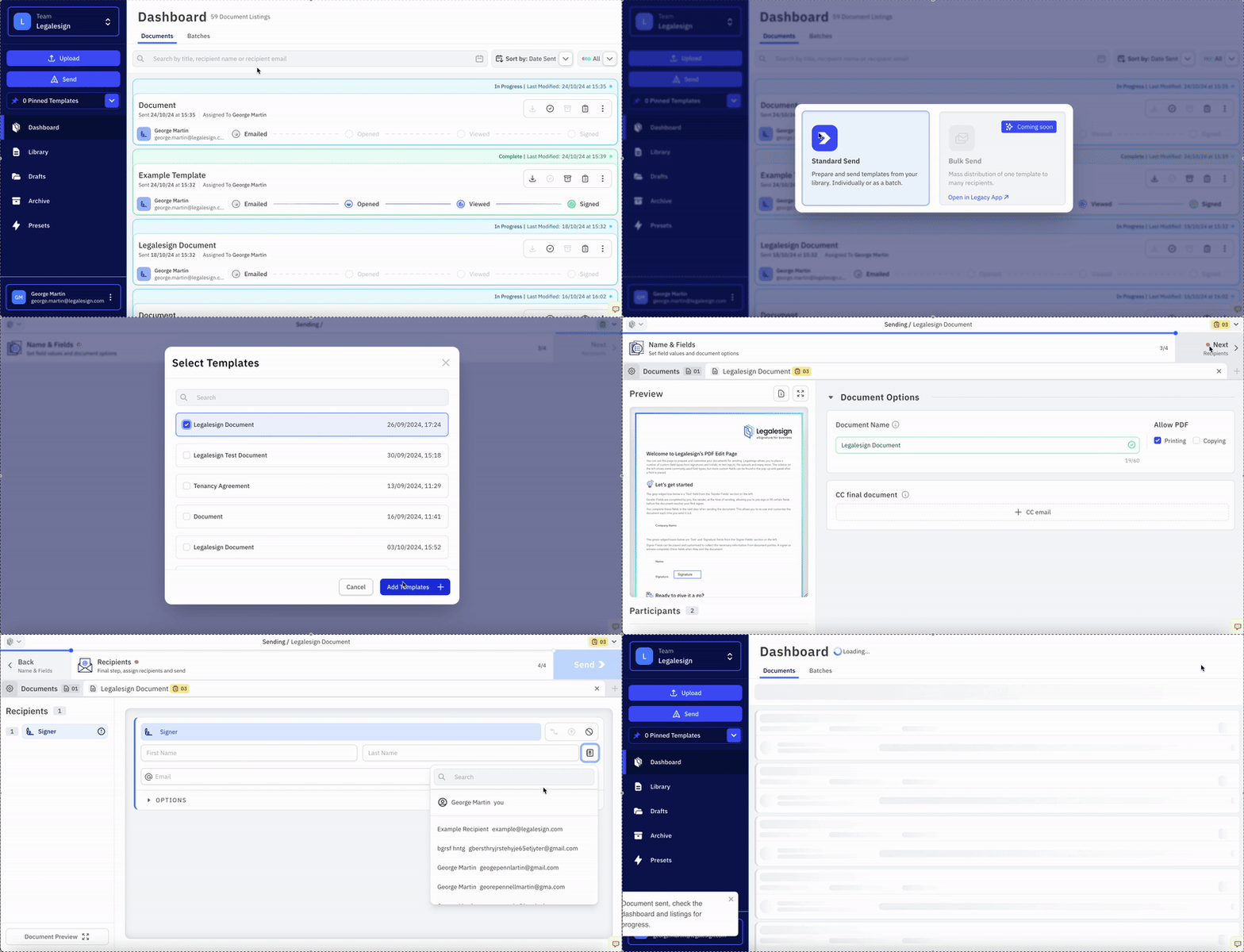
Click the Send button on the left-hand side of the screen.
-
Click 'Standard send'.
-
Select the Template(s) you would like to use.
-
Fill in the Document details and Recipient details for each template.
-
Click 'Send' to send the Document.
If you are having trouble sending the document, click the yellow "To-Do List" button on the top right of the page to see a list of all the steps that still need to be carried out.
For an overview of all available send methods, see Send Methods.